

YouTube has become one of the main services we can use to find videos of almost any kind , and it's considered a social network. We generally use this service to search for tutorials, news, information, and more.
In Gnu/Linux we have various tools with which we can enjoy this social network, from using our web browser, a multimedia player or also from the terminal.
About mps-youtube
That's why on this occasion I will take the opportunity to talk about mps-youtube , with which we can play music from YouTube completely in the terminal, although it can also play videos using mplayer or mpv.
Mps-youtube is an open-source, cross-platform application written in the Python programming language and is based on mpv, which is an application that allows us to use the terminal to search, play, and download music.
Features of mps-youtube
The main purpose of the application is to serve as a YouTube music player , offering options for:
- Search and play audio
- Create and save local playlists
- Find and import YouTube playlists
- Set the default audio format
With additional options such as:
- Playing videos externally using mpv, mplayer or vlc
- View video comments
- Optional notifications about song change
- MPRIS v2 support
- Last.fm scrobbling support
In addition, as an extra feature on audio playback, the application gives us the possibility of converting the audio to mp3 , aac, wma, among others, but it requires ffmpeg and avconv for this.
How to install mps-youtube on Linux?
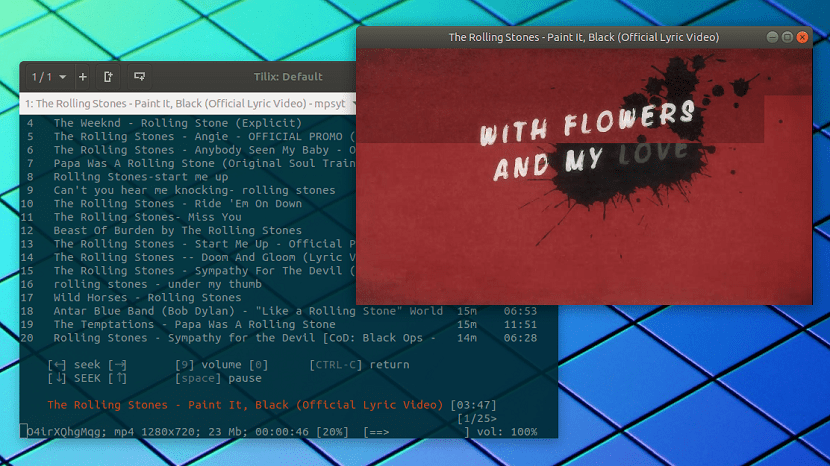
If you want to try or start using this great application, we must first have some dependencies for the correct execution of mps-youtube on our system.
As mentioned, mps-youtube is written in Python , so we must have it installed on our system. If not, you simply need to search for the package in your system's repositories, as it is found in most distribution repositories.
To find out if Python is installed on your computer, open a terminal and run:
python3 --version
Where they should receive a message with the installed version or otherwise they will get a "not found" and they will have to install it:
For Debian, Ubuntu and derivatives, we install with:
sudo apt-get install python3-pip mpv
For Fedora, openSUSE, CentOS and derivatives:
dnf -y install python-pip python3 mpv
For Arch Linux, Manjaro and derivatives:
sudo pacman -S python3 python-pip mpv
Having done this, we now need to add a path to our personal folder with:
echo "export PATH=\"\$PATH:\$HOME/.local/bin\"" >> ~/.bashrc

. ~/.bashrc
Now we can proceed to install the application with:
pip3 install --user mps-youtube youtube-dl
As an optional step, you can install dbus-python and pygobject for your user if you want mps-youtube to support MPRIS v2, which means you'll get the media player controls in the Sound Menu:
pip3 install --user dbus-python pygobject
As mentioned, if you want to integrate video playback, you can do it with vlc, which is your total option to install.
How to use mps-youtube?
We simply need to open a terminal and run the following command to start the application:
mpsyt
Now we can use the internal search engine to find an audio track or video; simply use the following command:
help search
Mps-youtube is quite customizable too. For example, the search results screen can be configured to display additional fields. To see all available settings, type "help settings" in mps-youtube.
To enable video playback in the application, we must run this command:
set show_video true
Once this is done, we need to configure which player will be used to play the video.
set player <player>
Where to configure the mpv player just substitute for mplayer or to configure vlc use "cvlc".
Table of Contents