
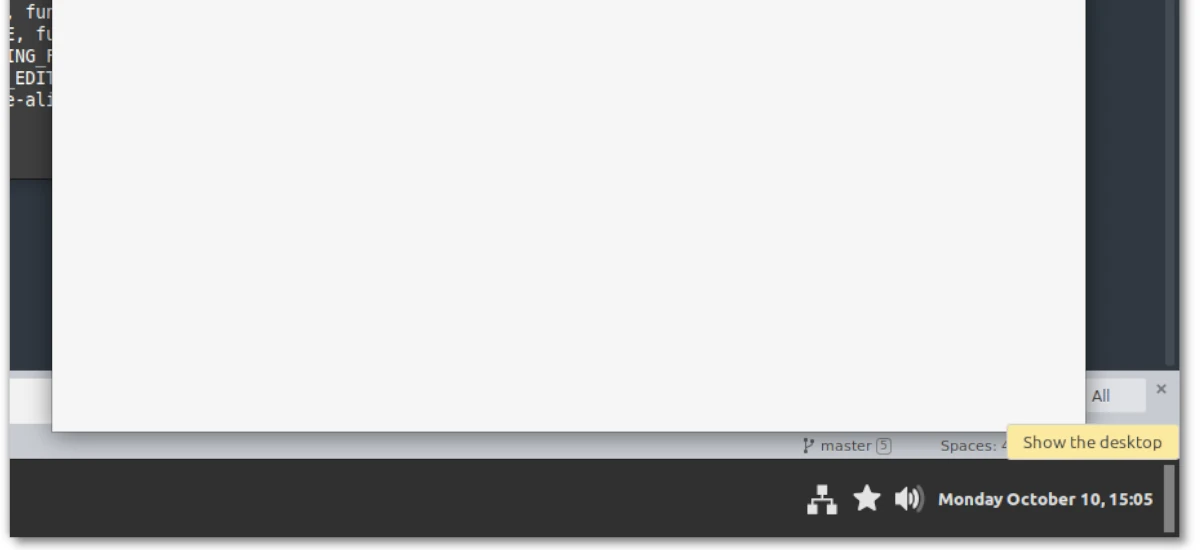
Let's be honest. I'm almost certain that the option to display the desktop this way was available on some Linux desktop environment before it was on Windows, but I'm either unaware of it or don't recall. I do remember that it's been this way on Windows for a while now, hence the headline, which is by no means intended as clickbait. It doesn't matter which came first, the chicken or the egg; the only certainty is that Clement Lefebvre, the Linux Mint leader , published the latest monthly newsletter discussing this, among other things.
Until now, the option to show the desktop was on the left. Now, the option has been replaced by a separator, and "show-desktop" has moved to the far right . Clem himself mentions Microsoft's operating system when discussing this change, saying that although it's harder to see and find, it's easier to use once you know it's there, and he's right; being on the edge, you don't have to be precise when looking for it to click on it.

Other changes in Linux Mint
Among the other changes announced this month, Blueman has been updated to version 2.3.4, with new features such as resolving a race condition in Cinnamon that resulted in two Bluetooth icons appearing in the panel. Additionally, the code that allows removing applications from the main menu has been revised, eliminating password prompts in situations where administrator privileges weren't required. For example, a password is no longer requested when deleting a Flatpak package.
Speaking of these types of packages, the update manager has added support for updating Flatpak packages , allowing them to be updated like any other software without having to use the terminal or another software store, such as GNOME Boxes. As for aesthetics, several visual changes have been introduced, including the fact that selected files now highlight both the icons and the text.
More information : October note by Clement Lefebvre.