

The new version of the popular web browser Firefox 76 has just been released , as well as the mobile version of Firefox 68.8 for the Android platform. An update has also been released for its LTS version, 68.8.0.
In addition to innovations and bug fixes, Firefox 76 resolved 22 vulnerabilities, of which 10 (CVE-2020-12387, CVE-2020-12388 and 8 under CVE-2020-12395) were marked as critical and potentially capable of executing malicious code.
The vulnerability CVE-2020-12388 allows an attacker to escape sandbox isolation in Windows by manipulating access tokens. The vulnerability CVE-2020-12387 is associated with a use-after-free call to a previously freed block of memory at the end of a Web Worker. CVE-2020-12395 combines memory vulnerabilities, such as buffer overflows.
What's new in Firefox 76?
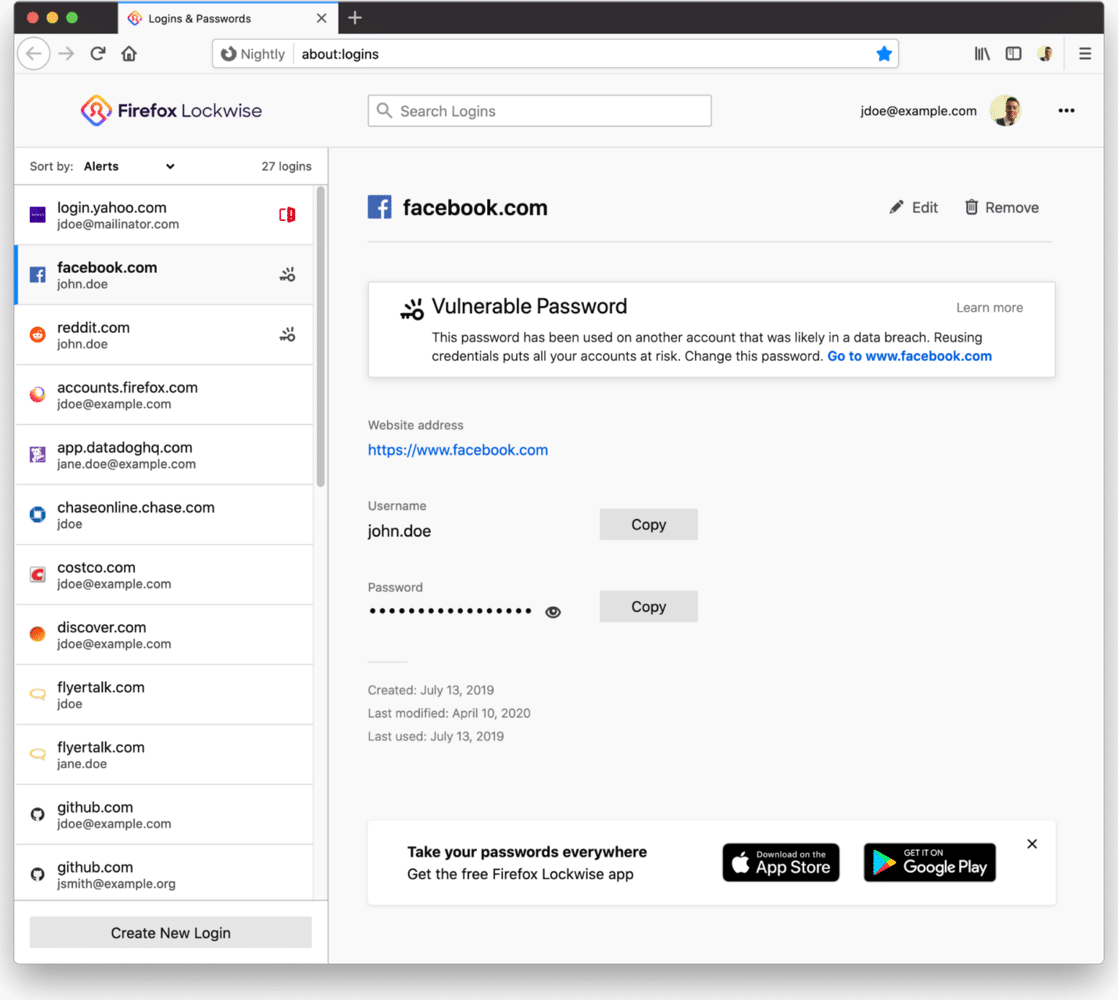
This new version includes improvements to the Lockwise system plugin included in the browser. It now provides a warning for saved accounts associated with previously hacked or compromised sites, and displays a warning about compromised passwords used on multiple sites. If one of the saved accounts appears in a credential leak and the user reuses the same password on other sites, they will be advised to change their password.
Another change in this new version of Firefox is the expansion of the number of sites for which it uses automatic strong password generation when filling out registration forms. Previously, a strong password suggestion was only displayed if there were fields with the attribute "autocomplete=new-password".
Additionally, the "HTTPS Only" operating mode was added, which is disabled by default . The replacement occurs both at the level of resources loaded on pages and when entered in the address bar. If an attempt to access the address entered in the address bar via HTTPS times out, the user will be shown an error page with a button to execute the request via http://. In the case of download failures via secondary "https://" resources loaded during page processing, such failures will be ignored, but warnings may be displayed in the web console, which can be accessed through the web developer tools.
Firefox 76 also stands out for its ability to quickly switch between Picture-in-Picture and full-screen video playback . Users can minimize the video to a small window and simultaneously perform other tasks, including working in other applications or on virtual desktops.
Work has been done to increase the visibility and convenience of working with the address bar, when a new tab is opened, the shadow around the field with the address bar is reduced, plus the bookmarks bar has been slightly enlarged to Increase the area of the clickable area on touchscreens.
In Wayland-based environments , with the new WebGL backend, the ability to accelerate hardware decoding of VP9 and other Firefox-compatible video formats is implemented . Acceleration is provided using the VA-API (Video Acceleration API) and FFmpegDataDecoder. In the latest version, only H.264 support was implemented. (To control the inclusion of acceleration in about:config, the parameters "widget.wayland-dmabuf-webgl.enabled" and "widget.wayland-dmabuf-vaapi.enabled" must be set.)
How to install or update the new version of Firefox 76 on Linux?
For those who are interested in being able to install this new version or update to it, they should follow the instructions that we share below.
If you are a user of Ubuntu, Linux Mint or any other Ubuntu derivative, you can install or upgrade to this new version using the browser's PPA.
This can be added to the system by opening a terminal and executing the following command in it:
sudo add-apt-repository ppa:ubuntu-mozilla-security/ppa -y
sudo apt-get update
Done this now they just have to install with:
sudo apt install firefox
For users of Arch Linux and derivatives , simply run the following command in a terminal:
sudo pacman -Syu
Or to install with:
sudo pacman -S firefox
Finally, for those who prefer using Snap packages, they will be able to install the new version as soon as it is released in the Snap repositories.
But they can get the package directly from Mozilla's FTP. With the help of a terminal by typing the following command:
wget https://ftp.mozilla.org/pub/firefox/releases/75.0/snap/firefox-75.0.snap
And to install the package we just type:
sudo snap install firefox-75.0.snap
Finally, you can get the browser with the latest installation method that was added "Flatpak". To do this, they must have support for this type of package.
Installation is done by typing:
flatpak install flathub org.mozilla.firefox
For all other Linux distributions, you can download the binary packages from the following link.
Table of Contents