
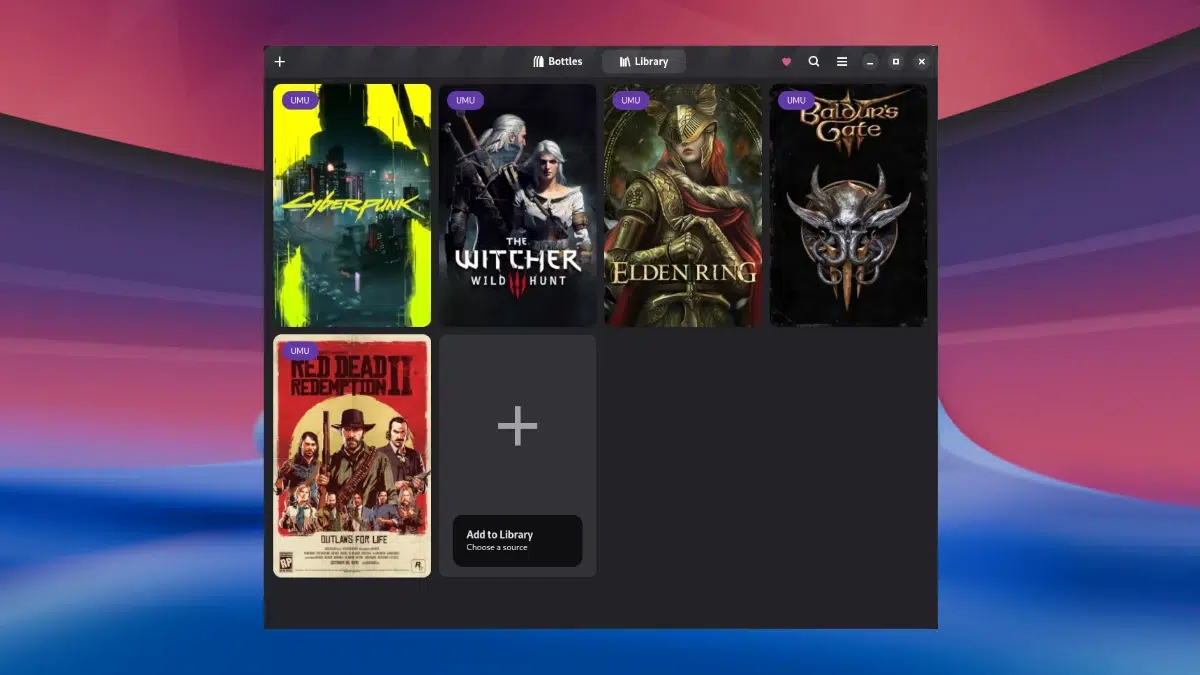
Bottles 67.5 is here , bringing with it a host of new features designed for Linux users who need to run programs and games originally designed for Windows . This tool, which has earned a place in the Linux user community, takes another step towards a simpler and more stable experience. The main goal remains to make life easier for those switching to free software without giving up their usual applications.
The project team has focused on several areas: from dependency installation to gaming performance, including a more user-friendly interface and automatic component management. These improvements not only benefit veteran users but also help those new to this environment. Below, we break down the most notable new features.

Less cumbersome installation of dependencies
One of the common headaches when using Bottles was the process of installing dependencies —those libraries and components that some programs need to function. With version 67.5, this process has been simplified and is now faster, reducing the typical errors that used to stall the setup. You no longer have to struggle with unusual configurations; the system does much of the work for you.
Bottles 67.5 and performance boosted with video games
For gamers, the update brings good news. Support for popular titles has been strengthened , resulting in fewer crashes and better integration with graphics drivers. The gaming experience is smoother and more enjoyable, which is especially appreciated when playing demanding games. Furthermore, internal tweaks help to fine-tune everything without needing to tweak too many advanced settings.

Bottles 67.5 offers a clearer interface and simpler setup
Another aspect that has been refined is the environment configuration within Bottles. The adjustments made make the task easier even for those who aren't very familiar with Linux. The interface has become clearer and more intuitive, making installing and running programs much smoother . This allows novice users to get started without feeling lost among menus and options.
Automated management of libraries and key components
The new version also incorporates automatic management of libraries and key components for various applications. This saves users from having to delve into advanced configurations and manual processes that often lead to frustration. Daily use is greatly simplified, as the program takes care of keeping everything organized without requiring you to monitor every detail.

If you regularly use Bottles to run Windows software on Linux, this update offers improved stability and new features worth exploring. The project team remains committed to making the experience increasingly accessible and efficient for everyone, regardless of their skill level. It's not just about adding features, but about refining what's already there to ensure everything runs like clockwork.
Bottles version 67.5 represents significant progress for those who want to run Windows applications and games on Linux. With a simpler dependency installation process, improved performance, and a more user-friendly interface, the tool becomes more stable and accessible. Both beginners and experienced users will find reasons to upgrade, and the future of this tool on Linux looks promising. If you haven't yet made up your mind, now is a great time to try it and see the improvements for yourself.

Table of Contents