

The latest version of the Windows operating system arrived in 2021, but with one in four computers already using it, it could be said that it's only now starting to take off. Microsoft users aren't exactly eager to upgrade anytime soon, as those who abandoned Windows 7 more out of necessity than choice can attest. Furthermore, new computers are coming pre-installed with Microsoft Windows 11 , which helps increase its market share. But why are we discussing this on Linux Addicts? For two reasons: we have a "Linux vs. Windows" section, and Windows is compatible with Linux applications.
The culprit behind this is software called WSL (Windows Subsystem for Linux). Initially, when it was released for Windows 10, you had to type several commands to activate it, and what you got was a distribution, but one that ran in the terminal. Soon, tricks emerged to run Linux applications with a user interface, and even more recently, it became possible to open a desktop using Remote Desktop. However, in Microsoft Windows 11, this is much simpler. Support for Linux applications with a GUI is now official.
Microsoft Windows 11 allows you to run Linux applications with GUI
In an update to WSL 2, the Windows subsystem for Linux allows running applications with a user interface , regardless of whether they are designed for X11 or Wayland. Satya Nadella's team explains that the desktop experience is fully integrated, and they're not wrong, as we get:
- Ability to launch Linux applications from the Windows start menu.
- Ability to pin Linux applications to the Windows taskbar.
- Using Alt+Tab to switch between Linux and Windows applications.
- Cut and paste between Windows and Linux applications.
The four previous points can be summarized by saying that the applications will be installed and will behave like the native ones, no more and no less.
How to install Linux applications with GUI on Windows
- In order to install Linux applications with GUI on Microsoft Windows 11, you must have a driver installed for vGPU. Links for those of Intel, AMD y NVIDIA.
- The next thing is to install WSL, now in its second version. If there is no prior installation, you must open PowerShell or the Windows command prompt as administrator, type
wsl --installand restart the computer. When it restarts, the installation will continue and you must enter a username and password. This will be the credential for Ubuntu, but more systems can be installed from the Microsoft Store. If WSL was already installed, what you have to write iswsl --update. - To install the applications, what you have to do is open the terminal. We open the operating system in question, in this example Ubuntu, and write the installation command, such as
sudo apt update && sudo apt install gnome-text-editor. The app will appear in the start menu.
Why am I interested as a Linux user?
No one's going to tell you to switch to Windows if you're a Linux user. Nor are they going to say that Microsoft's system is the best. But this is relevant for Linux users for one reason: you'll be able to continue using all your favorite applications even if they install Windows 11 at work or on a family member's computer.
Microsoft gives examples of installing software like GIMP or VLC, which doesn't make much sense, but also GNOME Text Editor or Nautilus. Dolphin can also be installed, and it handles FTP connections better than the Windows file manager.
But, in short, if you are very used to a program and it is only for Linux, you can use it in Windows 11 and with a user interface.
WSA, native Android apps on Microsoft Windows 11
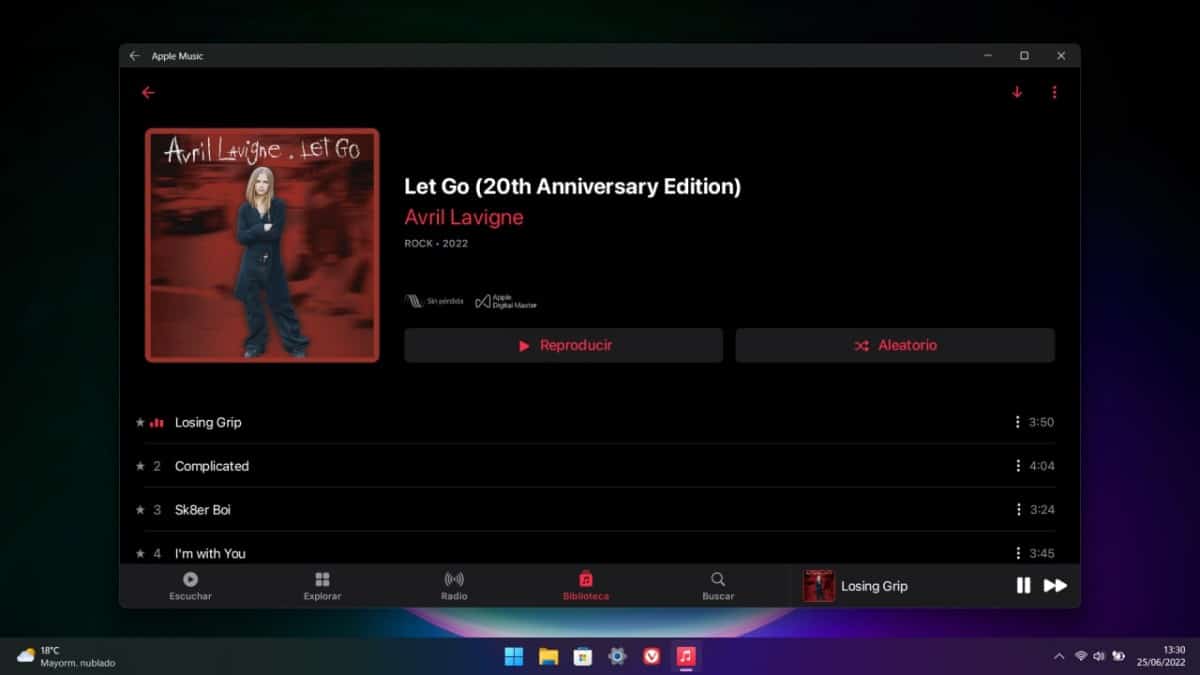
Another new feature in Microsoft Windows 11 for Linux users has arrived for those who want to run Android apps—the most popular mobile Linux, even if it's not as pure as postmarketOS or Mobian—on their desktops. It's called WSA , short for Windows Subsystem for Android, and it works even better than Linux applications with a GUI on Windows.
WSA includes the Amazon Appstore by default, but it's possible to install Google Play . This allows you to, for example, play mobile games on a Windows computer. While many developers release web versions of their apps or upload them directly to the Microsoft Store, being able to use Android apps, along with Windows and Linux apps, makes for a complete package.
Do we want something like this in Linux?
Yes, but not at any cost . The installation must be simple, and the system shouldn't be burdened with junk. Can you imagine what would happen to your Linux, the one that runs so well, if parts of Windows were added to its code? That's what Microsoft did in Windows 10 and later in Windows 11.
Windows isn't the smoothest operating system in the world, and adding a bit of weight to it in a world of powerful computers doesn't make things much worse. Much of its work is done through virtualization , which causes resource consumption to skyrocket. Thinking about it, if resource consumption has to increase, I'll just run Windows 11 applications in GNOME Boxes and "that's it." I say "that's it" because I have to launch a different application and then see the entire desktop, but I can open its apps.
The situation with Android is a bit different. Linux doesn't have as many applications as Windows, and even Spotify doesn't release a native app (it's more of a website) for Linux. Something similar to WSA would open many doors for us. Anbox and Waydroid exist , but their installation is far from simple and clean for the operating system.
Microsoft loves Linux
Microsoft loves Linux. I don't say it, they say it. They have their own desktop operating system, but the one they use for servers is Linux. And they know that many developers opt for a system with the Torvalds kernel, so they have decided to pamper us a little. Enough for us to change? Nah.
Header image: Microsoft.
Table of Contents