

The day has arrived. Canonical has officially released Ubuntu 26.10 . As usual, GNOME wasn't the first to announce its availability, but this is the moment when the release can be considered official, and when we clicked "publish" (the article will be updated with all the information as soon as possible). The codename for this family is Stonking Stingray, and it's a provisional release, meaning it will be supported for 9 months (6 until the next version and an additional 3 months as a courtesy to allow time for upgrades).
Below you'll find a summary of the highlights for each flavor, as well as a section showcasing the shared new features. It's important to remember that Ubuntu is the foundation, but each flavor has its own graphical environment, applications, and makes some unique decisions. Let's get started.
Shared new features of Ubuntu 26.10
- Intermediate version with nine months of support, until July 2027.
- Linux 7.3, initially in RC, but soon to be stable.
- dbus-broker as an implementation of D-Bus: the traditional dbus-daemon implementation is replaced by dbus-broker, which uses an asynchronous event-driven architecture to manage communication between applications and system services.
- Coreutils completely in Rust.
- GCC 15.2.
- LLVM 22.1.
- Go 1.27.
- Python 3.14.
- Open JDK 25.
- Rust 1.97.
- Advances in security and OpenPGP.
- Greater compatibility with RISC-V.
Ubuntu 26.10: AI and voice are demanding attention, but not by default

The desktop environment will incorporate GNOME 51. Support for full disk encryption via TPM (FDE) will also be added for systems without a trusted hardware root, while the Settings app will allow users to check if a computer is Ubuntu certified. In addition, various accessibility improvements and enhancements to rendering on scalable monitors are included.
The App Center store will receive updates such as a detailed view for Snap and DEB packages, a dedicated drivers page, and support for codec installation. Myna, the integrated speech-to-text tool we discussed earlier in this article , will be available in the repositories, although it won't be installed by default. Finally, Ubuntu 26.10 will also include images for devices with RISC-V architecture.
Kubuntu 26.10 upgrades to Plasma 6.7 and says a final goodbye to X11

Kubuntu 26.10 incorporates KDE Plasma 6.7.5, along with Qt 6.11.2, KDE Frameworks 6.29.0, and KDE Gear 26.08.1. Key desktop improvements include independent virtual desktops for each screen, faster switching between them from the overview, and enhancements to Discover, which revamps application tabs and simplifies managing installed software. Customization options are also expanded with simultaneous switching between light and dark themes, improvements to Breeze, and a preview of the new Union theme system.
The distribution adopts Wayland as its default and fully supported session, while Plasma's X11 session is no longer installed by default and is no longer officially supported by the Kubuntu team. Other improvements include the display of background applications in the system tray, new options for the virtual keyboard, more comprehensive printer management, and the ability to drag favorites to the launcher. Kubuntu 26.10 is an interim release with nine months of security updates and bug fixes, until July 2027.
Xubuntu 26.10 refuses to abandon Xfce 4.20 (but only because there's nothing newer)

Xubuntu 26.10 incorporates stability and Wayland compatibility improvements in the Xfce 4.20 components, with fixes for unexpected crashes in Thunar and a more robust panel. Several applications are also updated: Ristretto 0.14.0 adds shuffle playback in presentations, new sorting options, and the ability to open images from web links; Xfce Screenshooter 1.11.3 improves region and full-screen captures in Wayland, as well as offering sharper previews on HiDPI displays; and Xfce Terminal 1.2.0 adds navigation between search results with Shift+Enter, allows disabling URL highlighting, and reduces CPU usage. Xfce Power Manager 4.20.1 adds system shutdown as an inactivity action and corrects backlight device selection.
The system also includes improvements and new features in GNOME 50 applications, such as Disk Usage Analyzer, Font Viewer, Mines, Sudoku, and Document Scanner. Finally, the office and graphics editing applications are updated with LibreOffice 26.8 and GIMP 3.2.6, which incorporate their new features and bug fixes.
Lubuntu 26.10 upgrades to LXQt 2.4 and continues to improve Wayland

Lubuntu includes LXQt 2.4 by default, with the new features introduced in this version of the desktop environment. Regarding Wayland, although desktop sessions still use X11 by default, an experimental session based on the Miriway compositor is now included. To try it, simply select "Lubuntu (Wayland)" from the "Session" menu, located in the upper left corner of the login screen.
Furthermore, the login screen itself already uses Miriway and Wayland internally. This change should not cause problems for those who continue using X11 sessions and will allow for further development and improvement of Wayland support in future versions of Lubuntu.
Ubuntu MATE 26.10 gets an update, but there are no new features

Ubuntu MATE 26.10 seems like a transitional release, or perhaps a way to get things back on track. After problems with the previous release, they have a new team to keep the project going, but they haven't had time to add improvements. Better times will come, no doubt.
Ubuntu Budgie 26.10: Desktop improvements and more Wayland
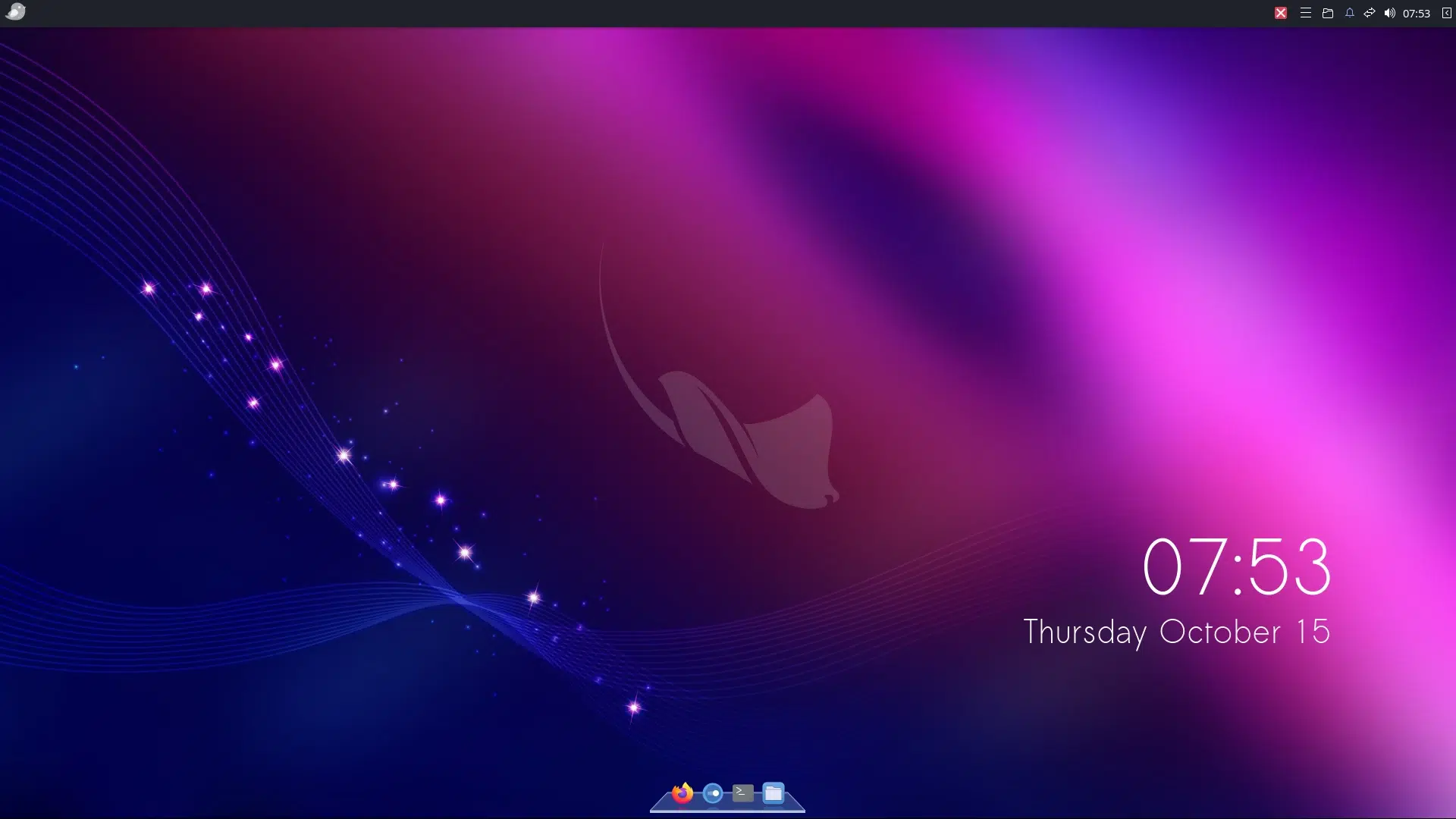
Ubuntu Budgie 26.10 updates Budgie Desktop to version 10.10.3 and incorporates improvements to Wayland integration, including enhanced Wayfire compatibility. It also fixes an issue that could cause Polkit dialogs to freeze the desktop. Among the new features is the addition of an internet radio widget to Raven, the desktop's central hub, allowing users to search and play thousands of stations, save favorites, and control playback.
The update also improves customization options with Wallstreet, allowing users to set different wallpapers for day and night and automatically change images using content from Bing and Wikimedia. Budgie Weather adds the ability to view wind speed in different units and makes it easier to reposition the applet. The release also includes improved translations, changes to indicators and visual themes, a new default wallpaper, and adjustments to the Budgie Welcome app.
Ubuntu Studio 26.10 updates apps on a conservative basis

Ubuntu Studio 26.10 focuses on improving the installer, audio settings, and the availability of creative tools. The installer now allows you to expand the "Depends On" and "Recommends" sections of each metapackage to select individual packages, instead of being forced to install all components. The audio settings application adopts a tabbed, single-window interface, where PipeWire's Quantum settings are grouped in the Audio section. Additionally, the installer offers the PipeWire settings application appropriate for the detected desktop environment.
Regarding creative software, new options are incorporated through the selection of audio packages in Ubuntu Studio: Sonic Pi, SuperCollider, JNoise, and the SuperCollider 3 plugin suite. These tools expand the possibilities for sound creation, synthesis, and experimentation offered by the distribution.
Updated packages:
- OBS Studio 32.2.2,
- FreeShow 1.6.5.
- QPrompt 2.0.2.
- RaySession 0.18.0.
- Patchance 1.4.0.
- DistroAV 6.2.1 for NDI compatibility in OBS Studio.
- Kden live 26.08.1.
- Crita 6.0.3.
- GIMP 3.2.6.
- Burning 9.8.0.
- Scribus 1.6.6.
- Audacity 3.7.8.
Edubuntu 26.10 will educate about GNOME 51

Edubuntu incorporates GNOME 51 and updates its installer to version 1.1.1, which allows users to select individual packages within each educational profile metapackage. This feature is available in the GTK4 and Qt6 interfaces, as well as in the Cockpit module, and offers greater flexibility when installing the programs included in each profile, without needing to install the entire suite.
The application menu organization has also been updated, with GNOME Resources and Font Viewer now located in the Utilities folder, and SuperCollider IDE and Sonic Pi now in the Music folder. Furthermore, Sonic Pi is now part of the Music Education metapackage. This real-time music programming environment allows users to learn music and programming simultaneously, combining concepts of mathematics, coding, and musical composition.
Ubuntu Cinnamon 26.10 moves towards Wayland

Ubuntu Cinnamon 26.10 updates Cinnamon to version 6.6.9, with improvements to the default menu, which now displays the user's avatar at the top and descriptions below the application names. It also includes a new configuration module for managing Thunderbolt and USB 4 devices, enables the use of hot corners with full-screen applications, and improves visual themes. Meanwhile, Muffin 6.6.3 continues to advance Wayland protocol support, while Nemo 6.6.4 adds file searching using regular expressions and the ability to pause file operations.
The distribution also updates numerous applications and desktop components, including LibreOffice 26.8.1.1, GNOME Calendar 51, and Rhythmbox 3.4.9. Gedit 48.1 now includes its plugins, while ZoiChat replaces HexChat. Finally, the Yaru theme variants are adapted to the visual changes in Cinnamon 6.6, and the Debian-specific package is removed. desktop-base.
Ubuntu Unity 26.10 is based on Unity 7.7, but is more mature

Ubuntu Unity 26.10 focuses primarily on maintaining the Unity 7.7 desktop, fixing bugs, and updating packages to accommodate the changes in Ubuntu 26.10. New features include the inclusion of Lomiri Calculator, Lomiri Files, and Lomiri Terminal by default. A policy violation in the Nux library has also been fixed, and the packaging of [unclear - possibly "packages" or "packages"] has been updated. unity-settings-daemon and added new wallpapers. Development continues, focused on maintaining Unity while working on a future alternative.
Ubuntu Kylin 26.10, maturity has arrived

Ubuntu Kylin 26.10 incorporates the Linux 7.3 kernel, which expands support for recent hardware, including laptops with Snapdragon X2 Elite processors, Snapdragon X Elite and X Plus systems, and upcoming AMD Zen 6 platforms. It also adds improvements for certain Intel platforms, includes software bills of materials (SBOMs) for the amd64 and arm64 kernels, and updates ZFS to version 2.4.4. Furthermore, it offers pre-compiled kernel modules for the 580 and 615 branches of NVIDIA drivers, with open-source modules for the 615 series on Turing GPUs and later.
Another important update is the version of systemd, now 261.3, which includes improvements to CPU resource management, network and DNS configuration, virtualization, and fault diagnosis. This version removes systemd-sysv-generator, therefore the scripts of /etc/init.d They no longer automatically become systemd service units, and the affected services now require native units. The distribution also updates its development toolchain, including GCC 15.2, glibc 2.44, Python 3.14.7, LLVM 22.1.8, and OpenJDK 25.0.4, among other updates. Finally, UKUI 4.20 retains the design and features of the previous release, focusing on bug fixes and improving stability and compatibility.
Table of Contents
- 1 Shared new features of Ubuntu 26.10
- 2 Ubuntu 26.10: AI and voice are demanding attention, but not by default
- 3 Kubuntu 26.10 upgrades to Plasma 6.7 and says a final goodbye to X11
- 4 Xubuntu 26.10 refuses to abandon Xfce 4.20 (but only because there's nothing newer)
- 5 Lubuntu 26.10 upgrades to LXQt 2.4 and continues to improve Wayland
- 6 Ubuntu MATE 26.10 gets an update, but there are no new features
- 7 Ubuntu Budgie 26.10: Desktop improvements and more Wayland
- 8 Ubuntu Studio 26.10 updates apps on a conservative basis
- 9 Edubuntu 26.10 will educate about GNOME 51
- 10 Ubuntu Cinnamon 26.10 moves towards Wayland
- 11 Ubuntu Unity 26.10 is based on Unity 7.7, but is more mature
- 12 Ubuntu Kylin 26.10, maturity has arrived