

Matthew Miller, Fedora project leader, along with his development team, are pleased to announce the new version of their system, Fedora 28, which brings us many great new features, as well as several security updates and bug fixes.
Fedora has undoubtedly earned a great reputation in recent years for being at the forefront of Linux development, as its development team and distribution have been great forerunners of innovations in Linux, having influenced other distributions.
What's new in Fedora 28
Among the main features that we can highlight in this new version is the support for Thunderbolt 3 connections and in particular the handling of the associated security standards.
Another important implementation in Fedora 28 is the new modular repository which allows us to choose between different versions of NodeJS and Django software.
On the other hand, in Fedora 28, the Guest Additions for Virtualbox have been integrated into the Linux Kernel , which is intended to make the interaction between the guest and the host system work seamlessly from scratch.
Previously, users of Fedora guest systems had to manually install these guest additions.
Easy installation from third party sources
The Fedora team understands the high demand for the inclusion of software that goes against their philosophy, which is why they decided to make the system more user-friendly, without abandoning their exclusive focus on free software. Therefore, Fedora 28 greatly simplifies the integration of third-party sources.
With which now the process that took place for several years where we had to resort to the command line to add third-party repositories to Fedora.
In this version it is easier because some of them can now be activated with a single click , among which we find allowed within this new feature are RPM Fusion, the Google repository for Google Chrome, PyCharm, JetBrains' Python IDE for professional developers, NVIDIA graphics drivers and the Steam client.
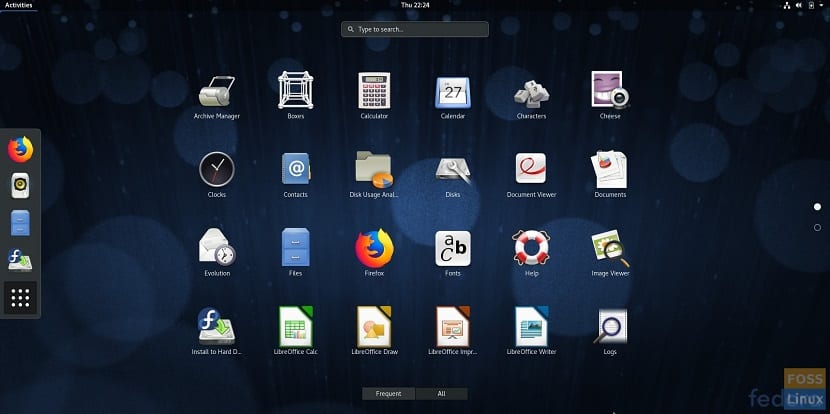
We will be able to see this when we run the Gnome software center for the first time; an alert bar will ask about enabling third-party repositories.
Laptop battery improvements
Battery life has been a key focus of optimizations in the current development cycle. For example, Fedora 28 promises significantly longer battery life compared to the default installation of previous versions.
Battery life on laptops running Fedora Workstation has been improved with several hardware power saving features that are now enabled by default.
These improvements include a new default SATA link power management policy across all Intel mobile chipsets. This policy puts the SATA link to a drive into low-power mode when idle, saving approximately 1.0–1.5 watts of power on an idle laptop. Additionally, Intel HDA codec power saving is enabled by default with a 1-second timeout, saving approximately 0.4 watts of power on an idle laptop.
At least for individual laptops, these improvements should be noticeable, with estimated savings of around 30 percent.
Finally, USB auto-suspend for USB Bluetooth receivers is enabled by default, saving about 0.4 watts of power on an idle laptop.
Download Fedora 28
Finally, if you want to try this new version of Fedora or install it on your computer, you should go to the official website of the distro and in its downloads section you will find the link to download it. Remember that Fedora also has alternative flavors known as Spins.
Table of Contents